|

|
Solving Exponential Equations
While exponential equations can be solved
on the graphing calculator,
you will, in most cases, have to adjust
your window to see the graphs.
|
1. 
This is a simple calculation problem.
Enter the right hand side of the equation on the home screen to
perform the calculation.
Newer calculators will use a superscript for the exponent, and will "stay" there until signaled to drop back to the base level.
Older calculators do not use superscripts or subscripts, so parentheses are needed.
Answer:
y = 0.2 or 1/5 |
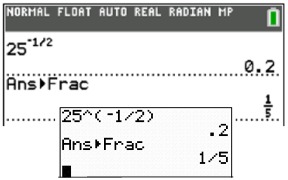
To convert to "fraction",
use MATH, #1 Frac
|
2.

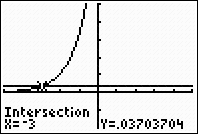
Enter the left side into Y1
and the right side into Y2.
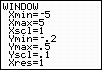
Keep in mind that 1/27 is a very small value. Adjust your
window accordingly. If necessary, start with the standard
10 x 10 window and adjust until you see the graph clearly.
Then use your intersect option.
2nd CALC (above TRACE), #5 intersect
Answer: x = -3 |
|
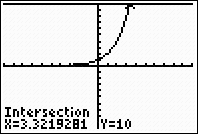
3.

Proceed as in #2. A
standard 10 x 10 window was used here.
Answer: x = 3.3219281 |
|
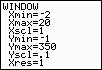
4. 
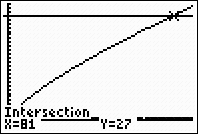
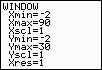
Proceed as in #2. Be sure to adjust the window to allow
for a y-value of 27. Also notice the need to move to the
right to find the intersection. Increase the XMax value.
Answer: x = 81
When graphing, this equation is referred to as a "power" function, not an "exponential" function, since x is in the base. |
|
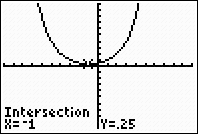
5.
Solve this system:

Enter both functions. Use the intersect option.
A standard 10 x 10
window was used here.
Answer: x = -1, y
= 0.25 |
|
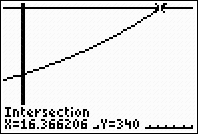
6. Solve for
x, to the nearest thousandth:

Proceed as in #2. Adjust the window as to see the point of
intersection of the two functions.
Answer: x = 16.366 |
|

Finding
Your Way Around TABLE of CONTENTS
|